200+ premium tools & subscriptions. Shop now
Home / Shop / Graphics & Video / Capcut Pro
Capcut Pro

About this product

Learn about what a CapCut Pro account is?

CapCut Pro is an upgraded, paid version of the CapCut pro video editing application. With a CapCut Pro account, you will provide many superior features and utilities compared to the free version of CapCut, such as:

✅Access to Pro resources: The upgraded version of CapCut Pro gives you access to Pro resources, including exclusive effects, filters, sounds and music. These resources are updated regularly with a variety of topics, helping you create more creative and unique videos.

Some main features of CapCut Pro account

CapCut Pro is an upgraded version of the CapCut video editing application, providing many outstanding features for users, including:

✅Effect and filter tools: CapCut Pro provides a diverse store of effects and filters, helping you create unique and attractive videos. These effects and filters include transitions, timing effects, animation effects, sound effects, and color filters.

Advantages of using a CapCut Pro account

Some disadvantages of CapCut Pro account

Overall, CapCut Pro account is a professional and versatile video editing application, suitable for all user needs. This application has many advantages such as friendly interface, diverse effects and editing tools, high resolution support, etc. However, the application also has some disadvantages such as requiring high device configuration, and lacking some features.

What you get

  • Unlock premium features: When you use the Pro version, premium features will be unlocked, allowing you to create more creative and professional videos
  • Remove ads: CapCut Pro accounts completely remove ads, allowing you to focus more on video editing without interruption
  • Multi-layer editing tools: This enhanced version allows users to add multiple layers of videos, images, text and effects into the same project. This helps you create complex and professional videos
  • Basic video editing tools: These are the basic tools that any user needs to know when editing videos, including crop, merge, rotate, zoom, flip video, change video speed, and color correction
  • Motion Graphics: Allows you to create moving and eye-catching effects for your videos
  • Project Management: Helps you organize and manage your video editing projects
  • Multilayer editing tool: You can use this tool to create effects like green screen, blur screen, or stitch multiple videos together
  • Motion graphics: You can use motion graphics to create effects such as rain, snow, or fire
  • Sounds and background music: CapCut Pro provides many high-quality sounds and background music. Users can use these sounds and background music to make videos more vivid and attractive
  • Advanced tools: CapCut Pro offers advanced tools such as multilayer editing, motion graphics, and project management. These tools help users create more complex and professional videos
  • Choose templates: CapCut Pro offers many video templates available in different genres such as landscapes, travel, food, vlogs, and more. Users can use these templates to quickly create a complete video
  • Friendly user interface: CapCut Pro version is designed to be simple and intuitive, easy to use for both beginners and professional users
  • Diverse effects and editing tools: CapCut Pro provides users with a diverse store of effects and video editing tools, helping users easily create unique and attractive videos
  • High resolution support: CapCut Pro supports exporting videos in high resolution, up to 4K, helping your videos have the best quality
  • Easy sharing: CapCut Pro allows you to easily share videos to social networks such as TikTok, Instagram, YouTube,…
  • High device configuration requirements: CapCut Pro requires high device configuration to work well, especially with complex projects
  • Missing some features: Compared to other professional video editing applications, CapCut Pro still lacks some features, such as advanced audio editing support, etc
Subscription

Capcut Pro

★★★★★ 5 · 1 verified review

Learn about what a CapCut Pro account is?

Rs 500 to Rs 12,000
Delivery on WhatsApp & email after payment check
Pay by bank transfer

Customer reviews

5
★★★★★1 verified review
Touseef . Verified purchase · 21 Nov 2026
★★★★★

Excellent CapCut Pro Experience

Purchased CapCut Pro from DigiHubCastle. Quick activation, smooth performance, and affordable pricing. Excellent customer support and a hassle-free experience. Highly recommended!

Bought this product?

Log in to your account to leave a review. Only verified buyers can review.

Log in to review

You may also like.

Canva
Graphics & VideoSubscription

Canva

Canva premium subscription at the best price in Pakistan. Canva Pro Subscriptions.

From Rs 200
Choose plan
Envato Elements
Graphics & VideoSubscription

Envato Elements

Unlimited downloads of 13+ million creative assets. Unlimited Stock Videos, Music, Photos & Graphics. Sign Up For Offers. View Categories. View Pricing.

From Rs 1,800
Choose plan
Shutterstock
Graphics & VideoSubscription

Shutterstock

Discover Our Beautiful Collection, and Create Your Great Stories Here! Give Your Projects the Quality They Deserve. Browse Over 400 Million Stock Photos.
From Rs 250
Choose plan
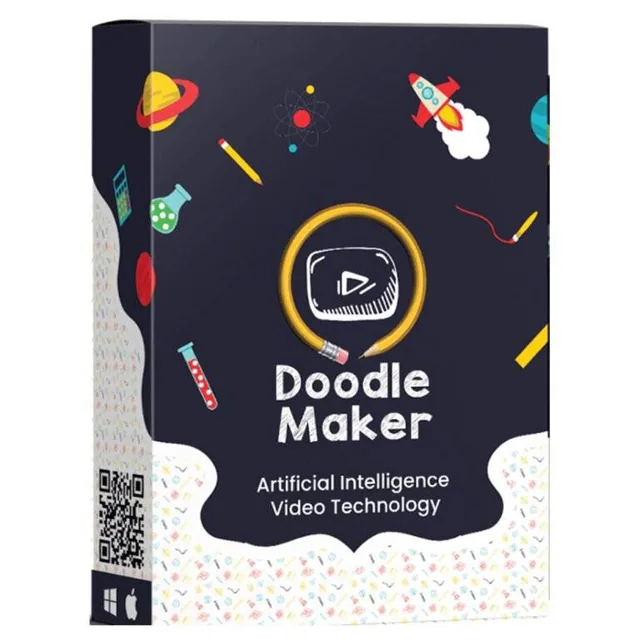
Doodle Maker
Graphics & VideoSubscription

Doodle Maker

Doodle Maker is software for creating whiteboard animations automatically. Doodle Maker is easy, quick and inexpensive.

From Rs 5,500
Choose plan